
Why Grade With Uflo
Uflo combines state-of-the-art AI with deep educational expertise across multiple disciplines to grade complex free response questions—digital or handwritten—with extremely high accuracy. As a result, instructors who grade with Uflo can expect:90%
Less time spent grading
99%
Accuracy on open-ended questions
2%
Variation between grading rounds
Feedback for Everyone
Reasoning on every response
Is Uflo the Right Fit?
Uflo’s AI grading is highly accurate, but like any grading method, it is not perfect. Before committing to AI-assisted grading, make sure you understand the limitations:I don't have time to review results before releasing grades
I don't have time to review results before releasing grades
AI grading requires an instructor/TA review step. If you cannot dedicate time to review a sample of graded responses before releasing scores, consider using multiple choice or auto-scored question types that do not require review.
I expect zero grading errors
I expect zero grading errors
No grading method, human or AI, produces zero errors. Human graders introduce inconsistencies, fatigue-related mistakes, and subjective drift across hundreds of responses. Uflo’s AI grading is more consistent than human grading, but a small number of responses may still need correction. The review and regrade workflow is designed to catch and fix these efficiently.
I'm not comfortable with students identifying grading issues
I'm not comfortable with students identifying grading issues
Students will occasionally find grading issues. This happens with human-graded exams too. Uflo’s regrade request system gives students a structured way to flag concerns and gives you a clear workflow to address them.
I expect grading to be done with one-click
I expect grading to be done with one-click
There is a learning curve to Uflo’s AI grading system. The intended workflow is: grade, review a sample, refine the rubric if needed, and regrade.
I expect regrade to produce identical scores
I expect regrade to produce identical scores
Uflo’s AI grading has a variance of approximately 2% across multiple grading rounds. This means that when a question is regraded, individual scores may shift slightly, for example, a student might gain or lose half a point, even if the rubric did not change. This is normal and equivalent to asking a different human grader to re-evaluate the same response. If a rubric change improved accuracy overall, small fluctuations on individual submissions are expected and do not indicate a problem.
How It Works
1
Create the Assessment
Create the assessment in your course, and choose its settings, such as the due date and number of attempts.
2
Import the Questions
Import your questions, optionally with an answer key and rubric (for free-response questions). The AI grades against the rubric’s criteria. Write a Rubric shows how to write criteria that grade well.
3
Collect Responses
Students answer in Uflo, on a printed exam, or in your LMS.
4
Grade Submissions
The AI scores each rubric criterion on its own, then adds them up.
- Submitted by Students
- Submitted by Instructors
Uflo grades the work as soon as students submit.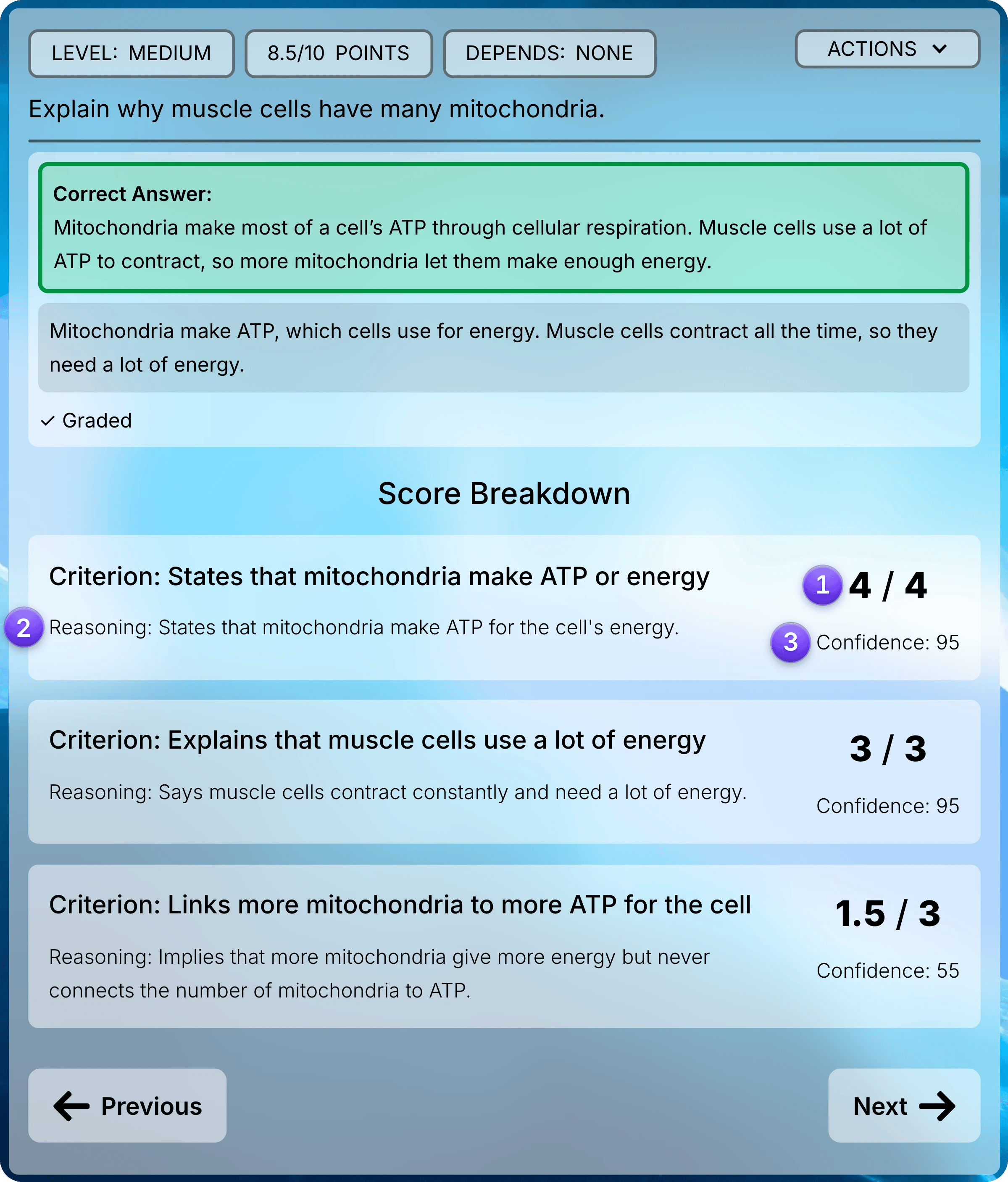
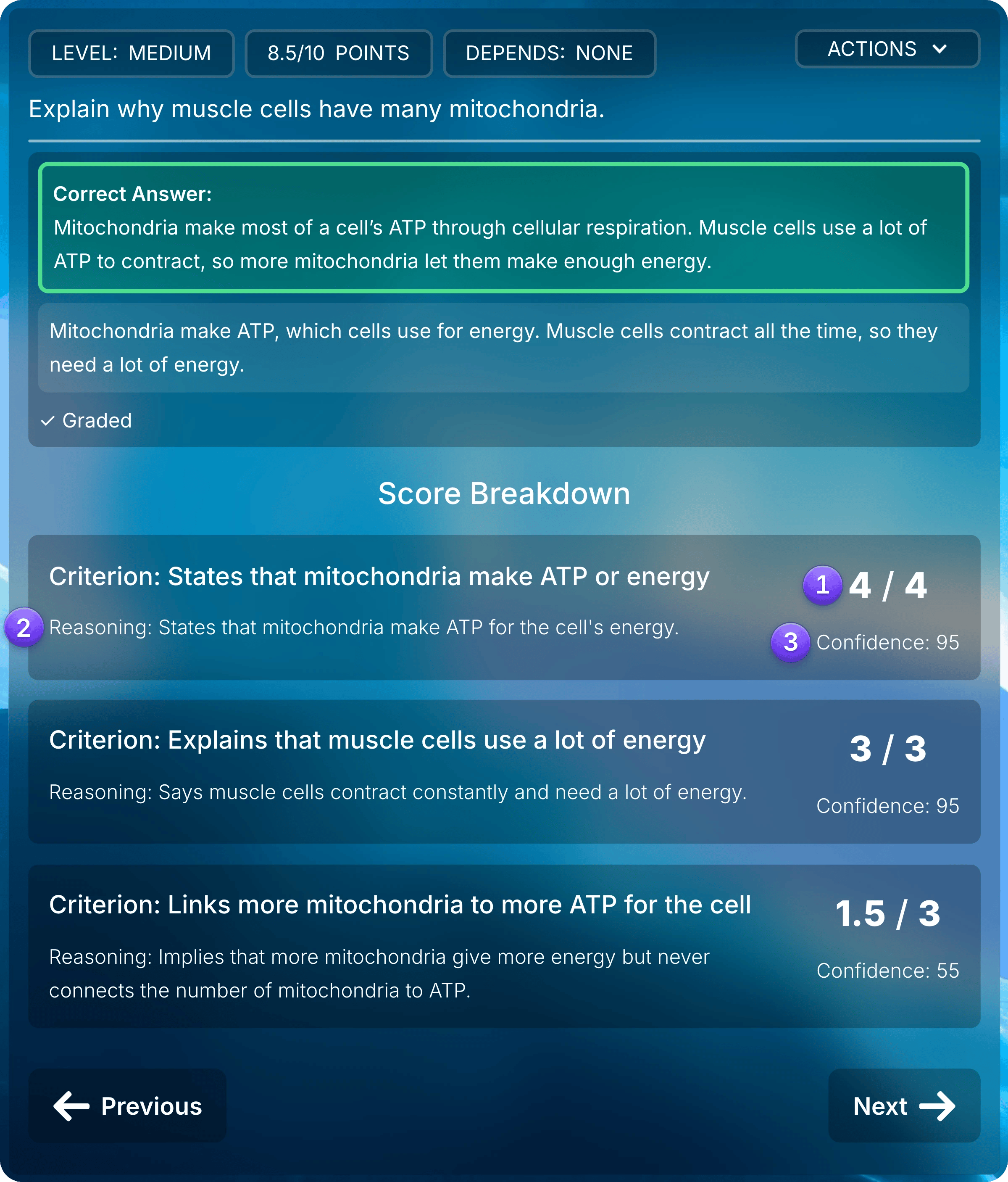
Each criterion gets its own points, reasoning, and confidence.
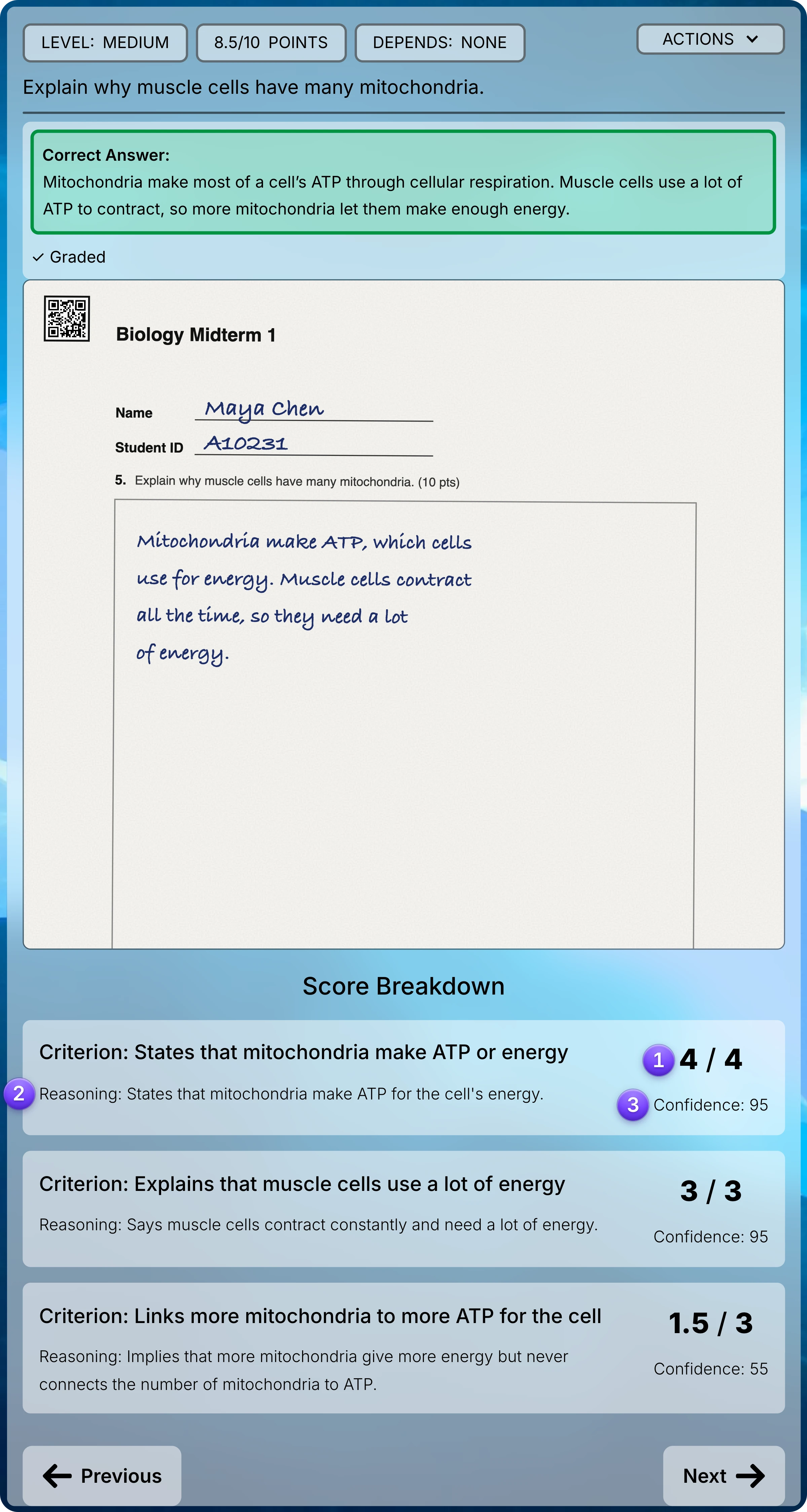
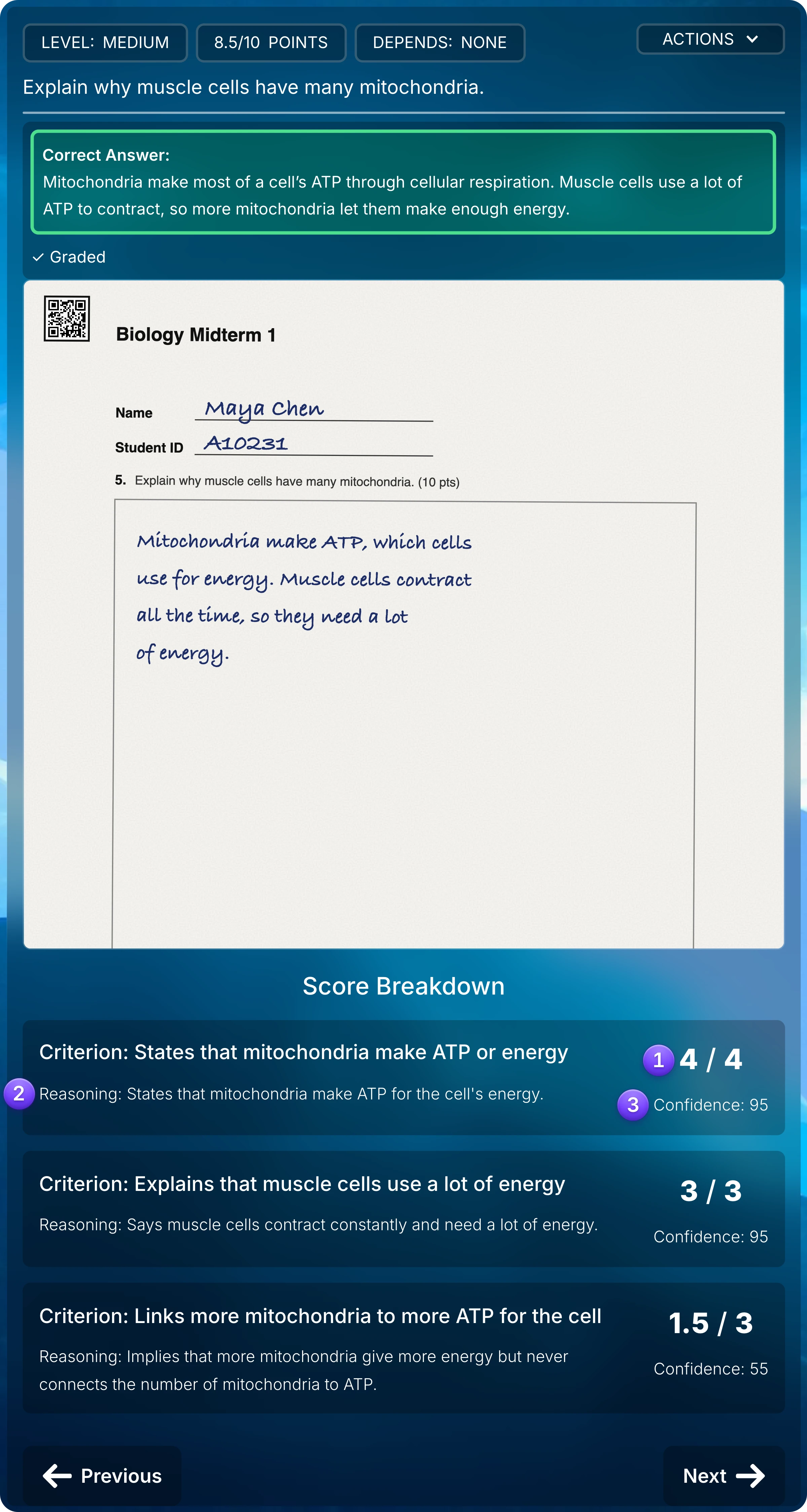
- Points: full, partial, or none.
- Reasoning: why the response earned those points.
- Confidence: how clear the decision was. Check low ones first.
5
Review and Regrade
Check a sample of scores before students see them, starting with the lowest confidence. When a criterion keeps misfiring, refine the rubric and regrade.
6
Release Grades
Release the grades when you’re ready. Students see their scores and, if your settings show it, the AI’s reasoning. They can request a regrade if you allow it.
Collect Responses
Choose who submits the work to Uflo.Submitted by Students
Students submit in Uflo, including photos of paper work.
Printed Exams
You print the exam, then scan the students’ pages and upload them.
Imported From an LMS
You import the responses students gave in Canvas or another LMS.