
Fix a Criterion
1
Find the Criterion
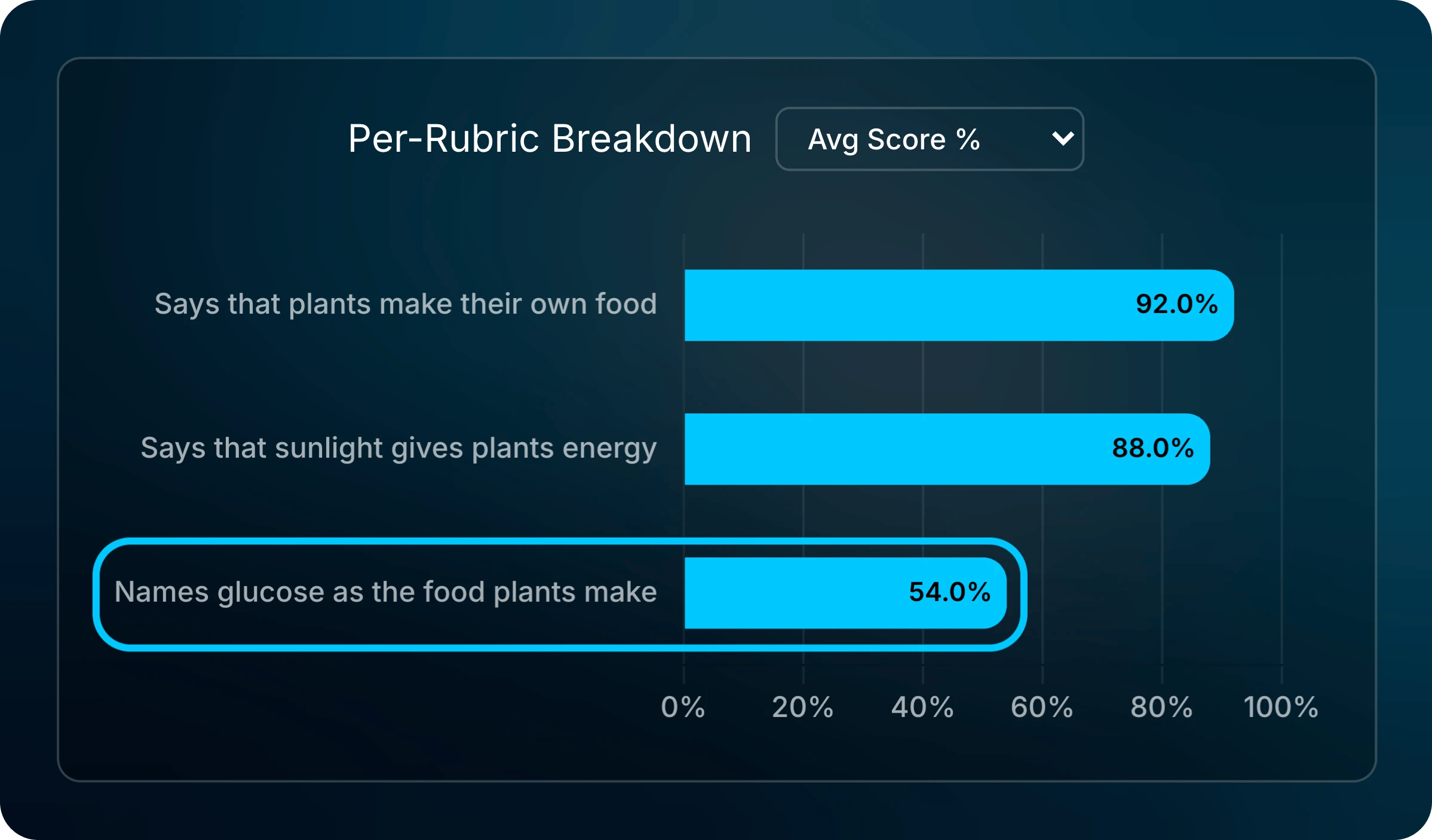
In the question’s Analytics tab, Per-Rubric Breakdown shows each criterion’s average. A criterion far below the others is the first place to look.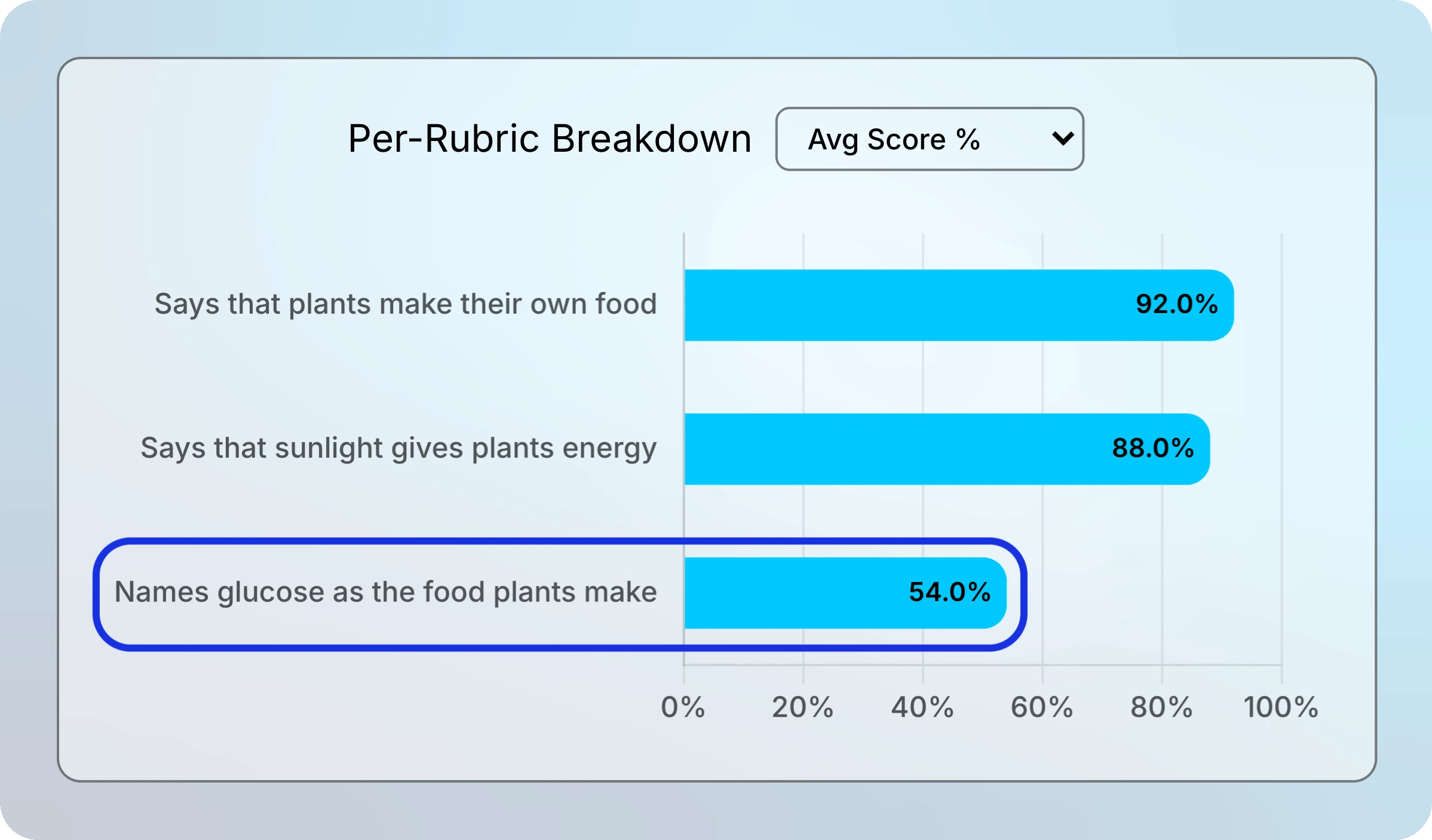
Read a few responses that lost points on it, and look for a pattern, such as:
The last criterion averages 54%, far below the other two.
See the criterion's score distribution
See the criterion's score distribution
For questions with Response Summaries, select the criterion’s bar to see its own score distribution. Then select a score range to list its students, and select a student to open their latest attempt.
Select the criterion, then a score range, to list the students who earned it.
- Students with correct reasoning lose points.
- Similar responses get different partial credit.
- Students earn full credit despite flawed logic.
2
Edit and Regrade
Open Actions and select Edit. Under Rubric Criteria, rewrite the criterion, then select Submit. Common rubric problems shows typical fixes. In the example, the last criterion becomes “Names sugar or glucose as the food plants make.”Since students have submitted, Uflo offers to regrade. Select Regrade All.
Rewrite the criterion and submit, then select Regrade All.
3
Check the New Scores
Wait for grading to finish. For a paper exam or LMS import, you get an email. Responses students submitted show Waiting to be Graded until then.Then reread a few of the responses you checked before. If many scores are still off, refine the criterion again and regrade.
Regrade before you release grades. Once students have seen their scores, you’ll need to explain each change to them.
Common Rubric Problems
Most misfiring criteria have one of these problems. What Makes a Good Criterion covers how to avoid them when you write a rubric.The rubric doesn't include the correct answer
The rubric doesn't include the correct answer
Put the correct answer in the criterion. For an exact value, say “must be exactly”. For an estimate, give the accepted range.
The rubric doesn't say how to give partial credit
The rubric doesn't say how to give partial credit
Add scoring tiers to the criterion: what earns full credit, what earns partial credit and how much, and what earns none.
The rubric is too strict
The rubric is too strict
The criterion accepts only one form of a correct answer, so students who write it another way lose points. List every acceptable form or method. A batch of graded responses shows the alternatives students use.
One criterion carries too much weight
One criterion carries too much weight
One criterion decides most of the score. Move weight to the criteria for the process, unless the question really tests one thing.
The criteria are out of order
The criteria are out of order
The rubric doesn’t follow the order of the answer. For drawings and images, this can make the grader match the wrong parts. Order the criteria as the answer is written, or as you’d grade it yourself.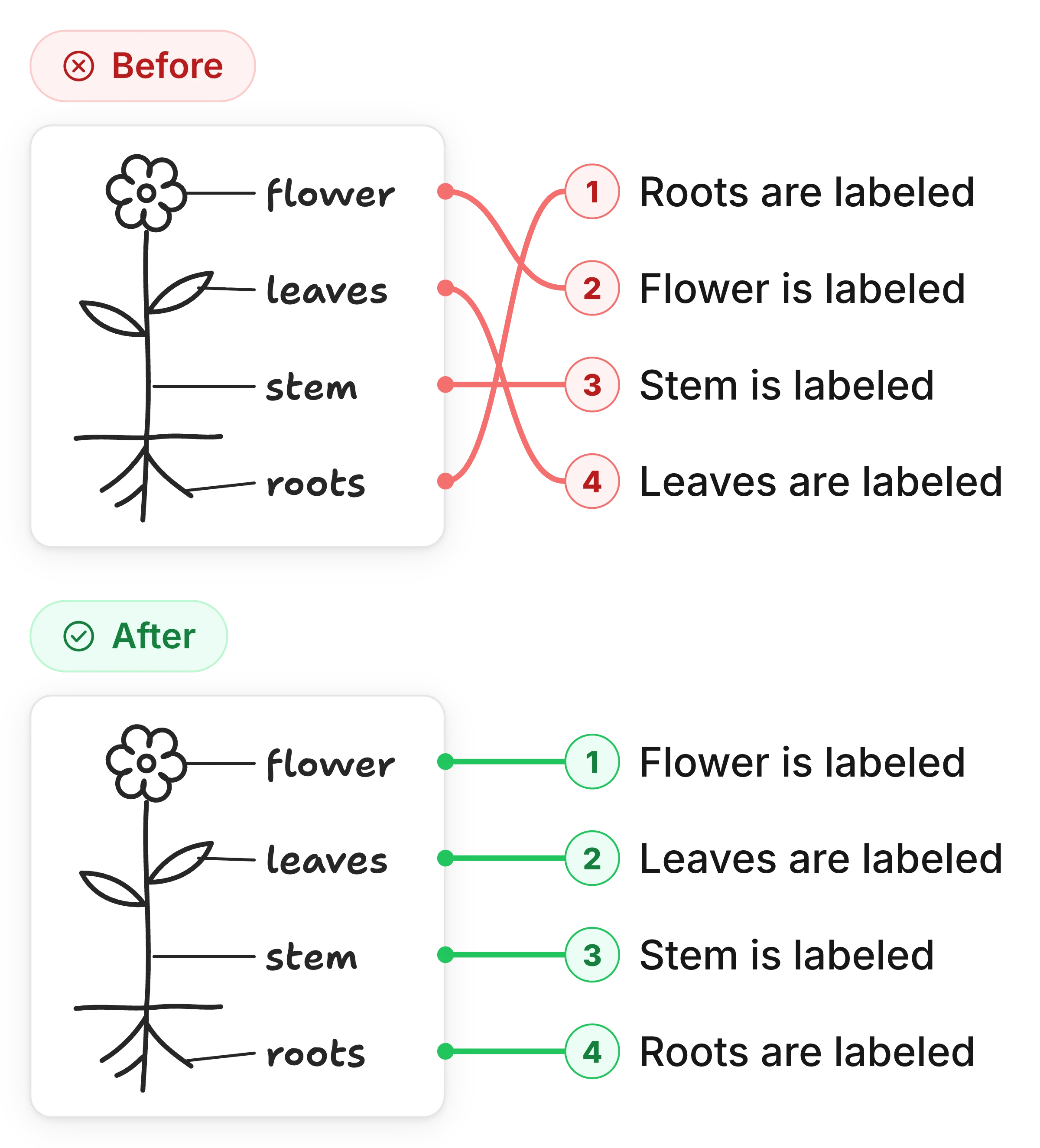
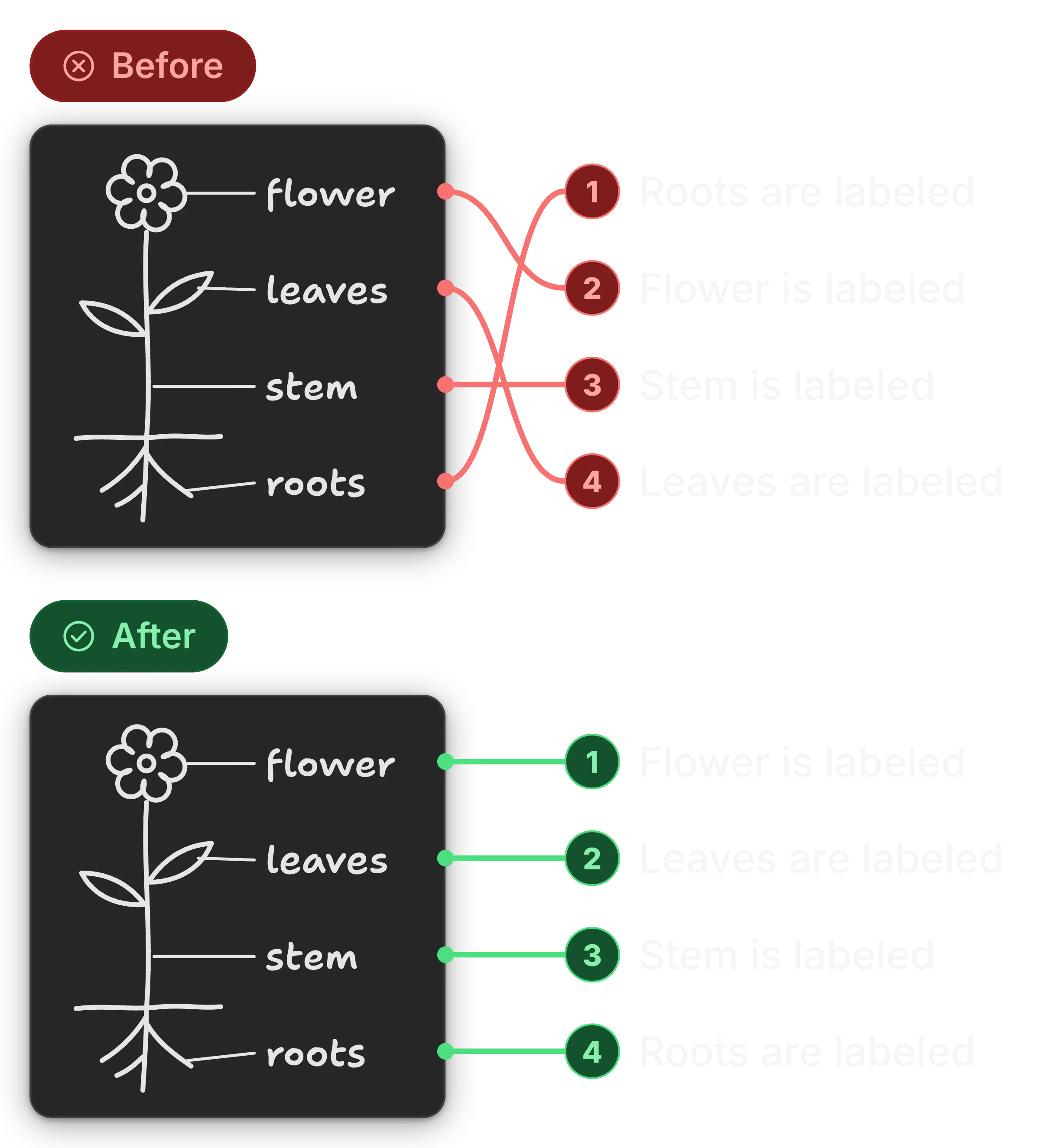
In the After rubric, the criteria follow the drawing from top to bottom.
Two criteria overlap
Two criteria overlap
Two criteria check the same part of the response, so one mistake costs points twice. Merge them into one criterion with their combined weight.
A criterion is too broad
A criterion is too broad
One criterion checks several separate ideas. Split it into one criterion per idea, and share out its weight.
Next: Manual and Auto Regrades
Grade responses again automatically, or change a score by hand.