> ## Documentation Index
> Fetch the complete documentation index at: https://docs.uflo.io/llms.txt
> Use this file to discover all available pages before exploring further.

# Manage Objectives

> Say what students should learn, and link it to files and questions.

A learning objective says what students should learn, such as **Compare cell structures**.
Each belongs to a Teach lesson, and students see it [below the lesson's files](/students/getting-started/navigating-a-course#open-a-lesson).

## Add an Objective

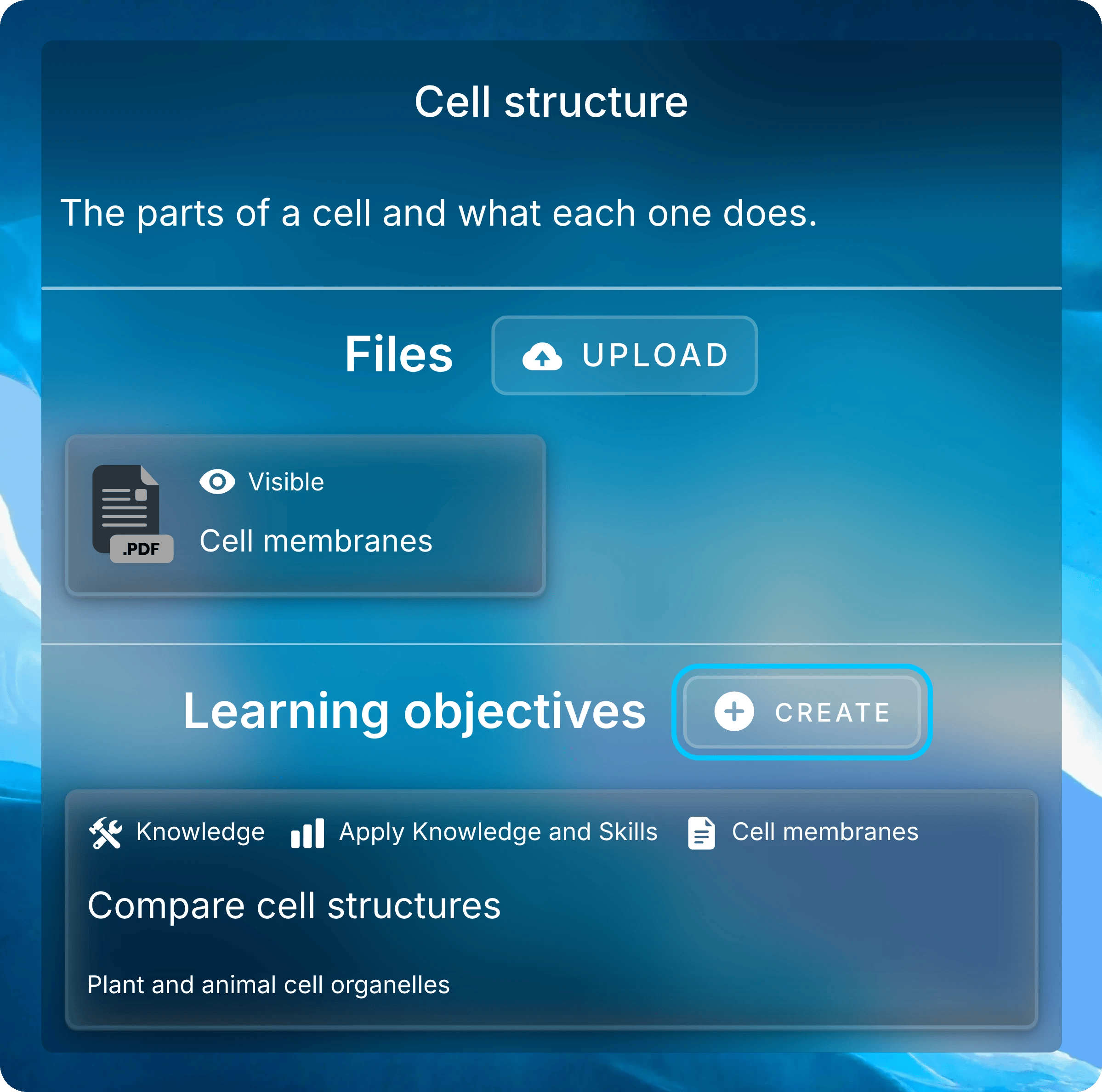
Select a Teach lesson, then select **Create** beside **Learning objectives**.
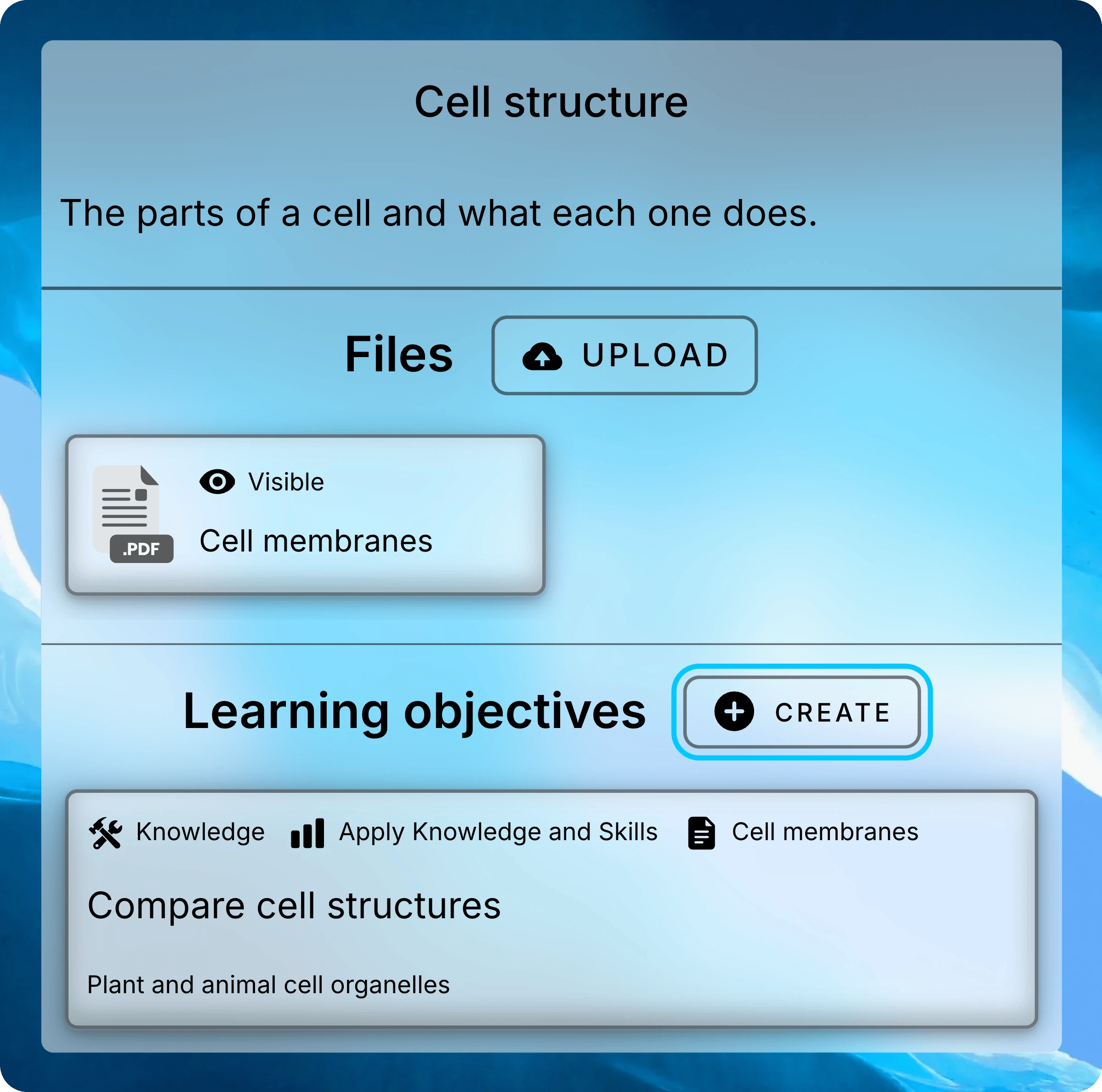
<img className="block dark:hidden mx-auto" style={{ maxWidth: "520px" }} src="https://mintcdn.com/uflo/mc8jedJa_T3_qK9F/images/illustrations/screenshot/objectives-lesson-panel/light.webp?fit=max&auto=format&n=mc8jedJa_T3_qK9F&q=85&s=3cb853c793dc46de1ea839254656da5c" alt="Cell structure lesson panel with the Create button beside Learning objectives highlighted and the Compare cell structures objective below." width="2398" height="2376" data-path="images/illustrations/screenshot/objectives-lesson-panel/light.webp" />

<img className="hidden dark:block mx-auto" style={{ maxWidth: "520px" }} src="https://mintcdn.com/uflo/mc8jedJa_T3_qK9F/images/illustrations/screenshot/objectives-lesson-panel/dark.webp?fit=max&auto=format&n=mc8jedJa_T3_qK9F&q=85&s=02829dfcd311a1ee654cfbed2844498f" alt="Cell structure lesson panel with the Create button beside Learning objectives highlighted and the Compare cell structures objective below." width="2398" height="2376" data-path="images/illustrations/screenshot/objectives-lesson-panel/dark.webp" />

<p className="text-center text-sm text-gray-600 dark:text-gray-400">A lesson's objectives sit below its files.</p>

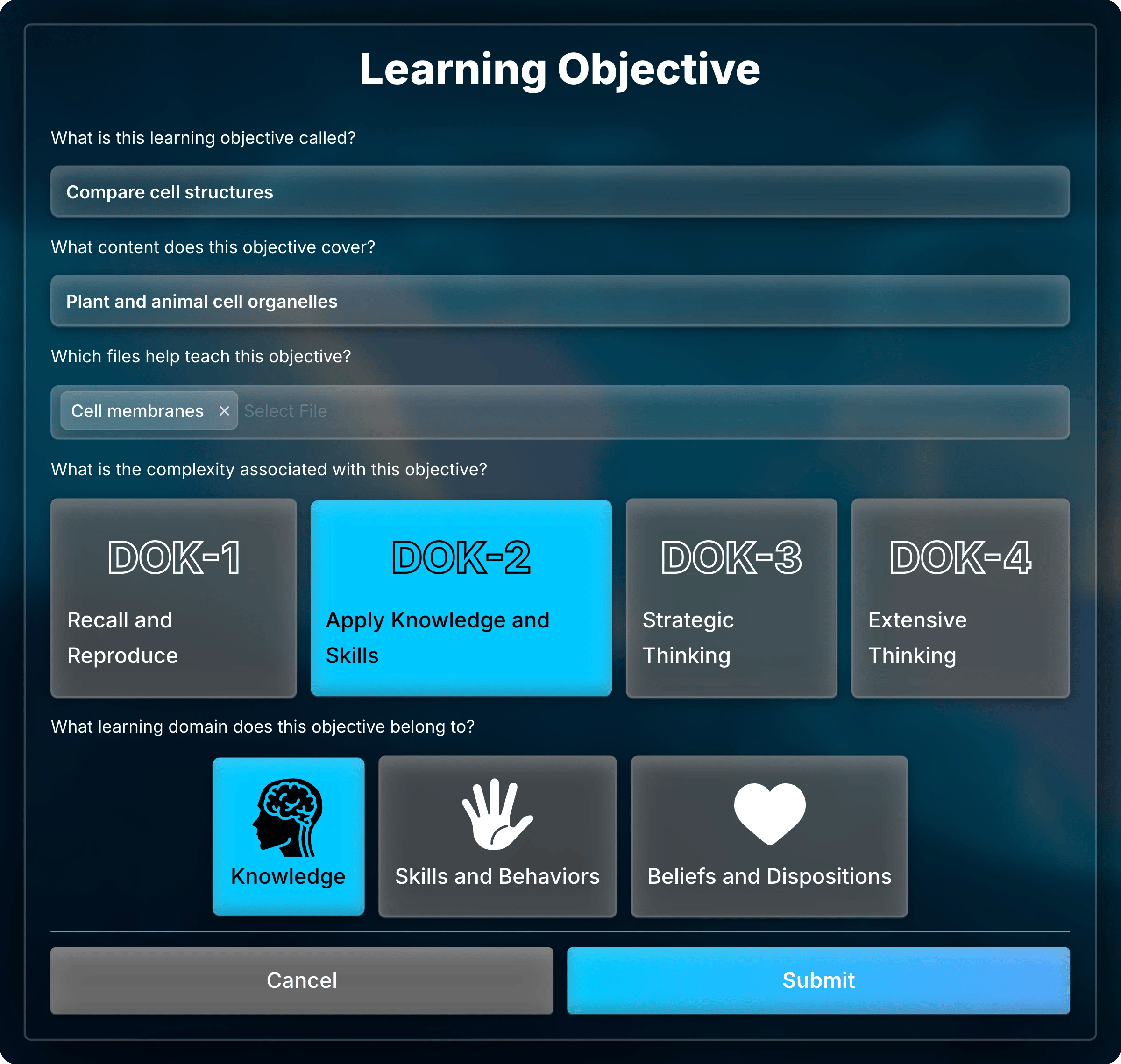
Fill in the form, then select **Submit**.
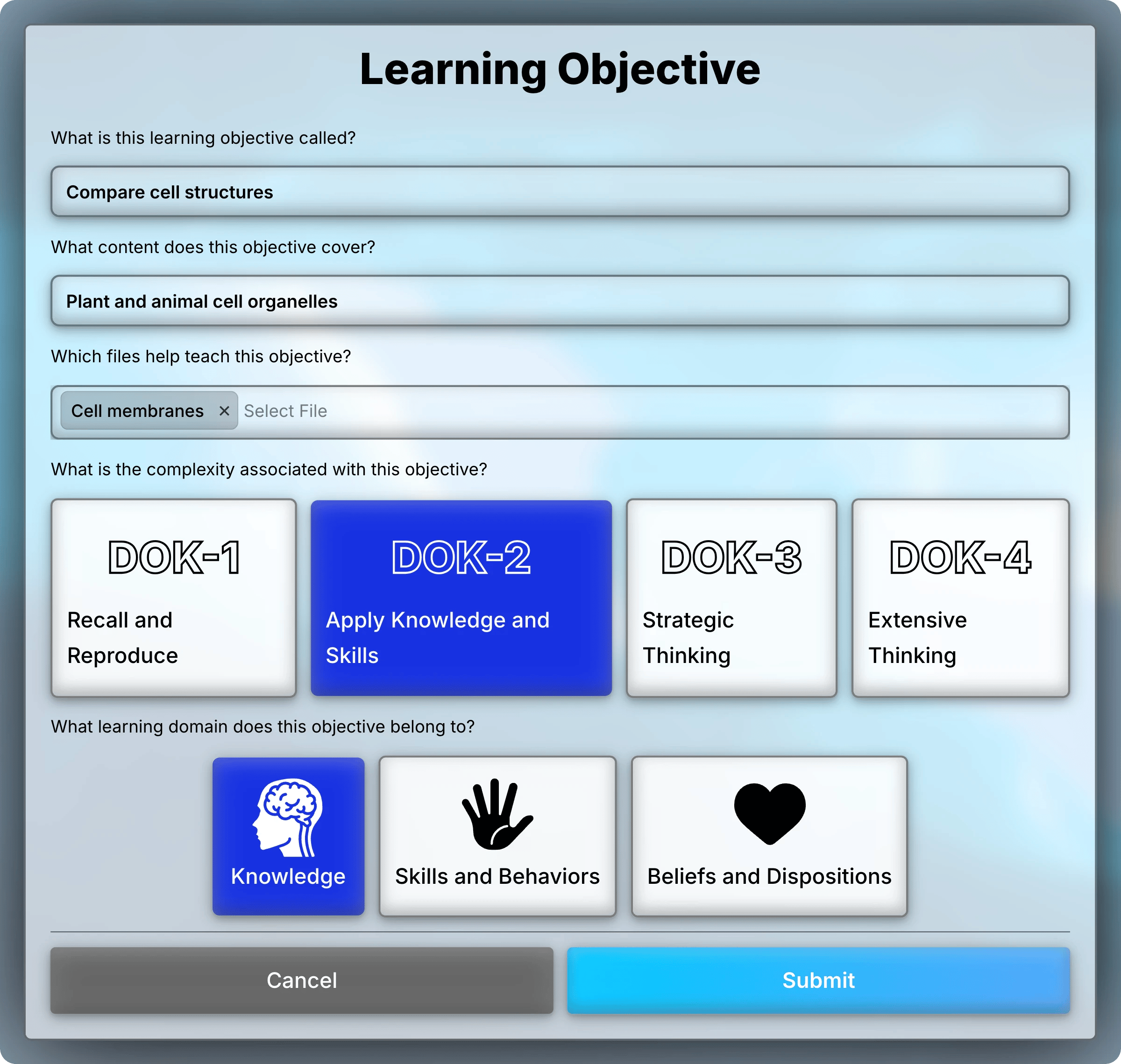
<img className="block dark:hidden" src="https://mintcdn.com/uflo/mc8jedJa_T3_qK9F/images/illustrations/screenshot/objectives-form/light.webp?fit=max&auto=format&n=mc8jedJa_T3_qK9F&q=85&s=7e18f4380efd6e8f964056790cf42a09" alt="Learning objective form for Compare cell structures, with Cell membranes as its file, DOK-2 Apply Knowledge and Skills selected, and Knowledge selected." width="2400" height="2279" data-path="images/illustrations/screenshot/objectives-form/light.webp" />

<img className="hidden dark:block" src="https://mintcdn.com/uflo/mc8jedJa_T3_qK9F/images/illustrations/screenshot/objectives-form/dark.webp?fit=max&auto=format&n=mc8jedJa_T3_qK9F&q=85&s=8facec47039a70342e3f31f2d19d5b1e" alt="Learning objective form for Compare cell structures, with Cell membranes as its file, DOK-2 Apply Knowledge and Skills selected, and Knowledge selected." width="2400" height="2279" data-path="images/illustrations/screenshot/objectives-form/dark.webp" />

<p className="text-center text-sm text-gray-600 dark:text-gray-400">A learning objective's form.</p>

* **Title:** what students should learn. It's the only required field.
* **Content:** the topics or skills it covers.
* **Files:** the lesson's files that teach it.
* **Complexity:** one or more <Tooltip tip="Webb's Depth of Knowledge, a scale for how deeply students must think.">DOK</Tooltip> levels.
* **Domain:** one kind of learning.

<Accordion title="What each complexity and domain means">
  | Option                               | Use it for                              |
  | ------------------------------------ | --------------------------------------- |
  | **DOK-1** Recall and Reproduce       | Remembering facts, terms, and steps     |
  | **DOK-2** Apply Knowledge and Skills | Applying a concept to a routine problem |
  | **DOK-3** Strategic Thinking         | Reasoning and justifying a solution     |
  | **DOK-4** Extensive Thinking         | Connecting ideas over an extended task  |
  | **Knowledge** domain                 | What students know                      |
  | **Skills and Behaviors** domain      | What students can do                    |
  | **Beliefs and Dispositions** domain  | Attitudes and habits of mind            |
</Accordion>

## Target Objectives From Questions

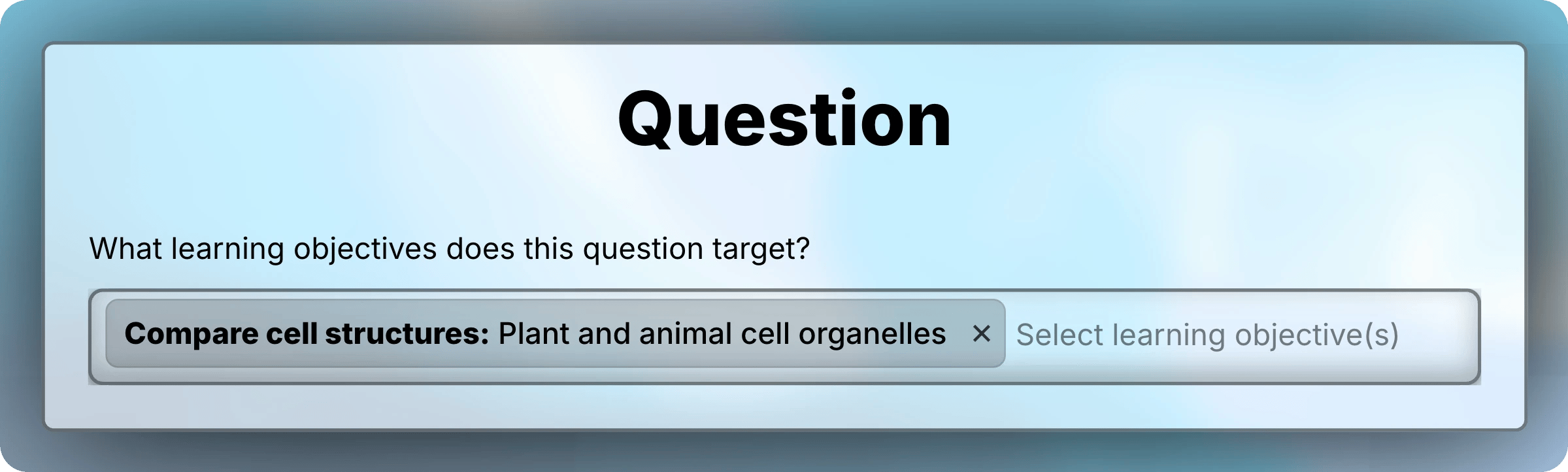
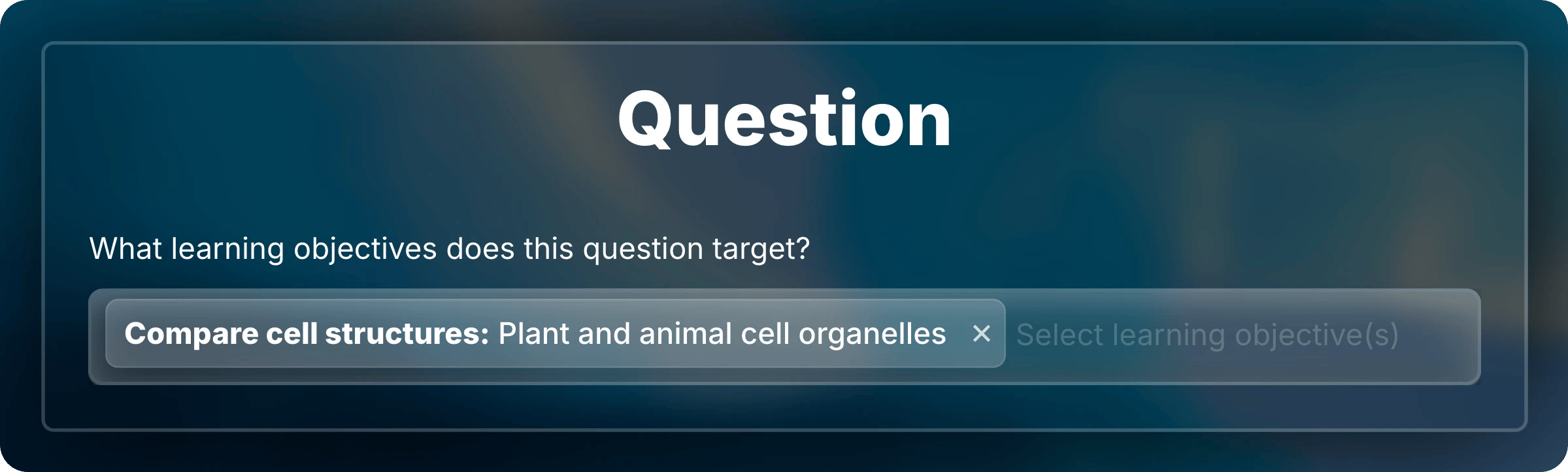
When you add a question, choose objectives under **What learning objectives does this question target?**
You can pick any objective from the lessons in the assessment's chapter. Students see them with the question.
<img className="block dark:hidden" src="https://mintcdn.com/uflo/mc8jedJa_T3_qK9F/images/illustrations/screenshot/objectives-question-target/light.webp?fit=max&auto=format&n=mc8jedJa_T3_qK9F&q=85&s=070f5176f6364c27772942f709a2d511" alt="Question editor field asking which learning objectives the question targets, with Compare cell structures selected." width="2399" height="722" data-path="images/illustrations/screenshot/objectives-question-target/light.webp" />

<img className="hidden dark:block" src="https://mintcdn.com/uflo/mc8jedJa_T3_qK9F/images/illustrations/screenshot/objectives-question-target/dark.webp?fit=max&auto=format&n=mc8jedJa_T3_qK9F&q=85&s=fb57f99d49dd62fa24e1a713b7ffc9f2" alt="Question editor field asking which learning objectives the question targets, with Compare cell structures selected." width="2399" height="722" data-path="images/illustrations/screenshot/objectives-question-target/dark.webp" />

<p className="text-center text-sm text-gray-600 dark:text-gray-400">Choose the objectives a question tests.</p>

## Update, Reorder, and Delete

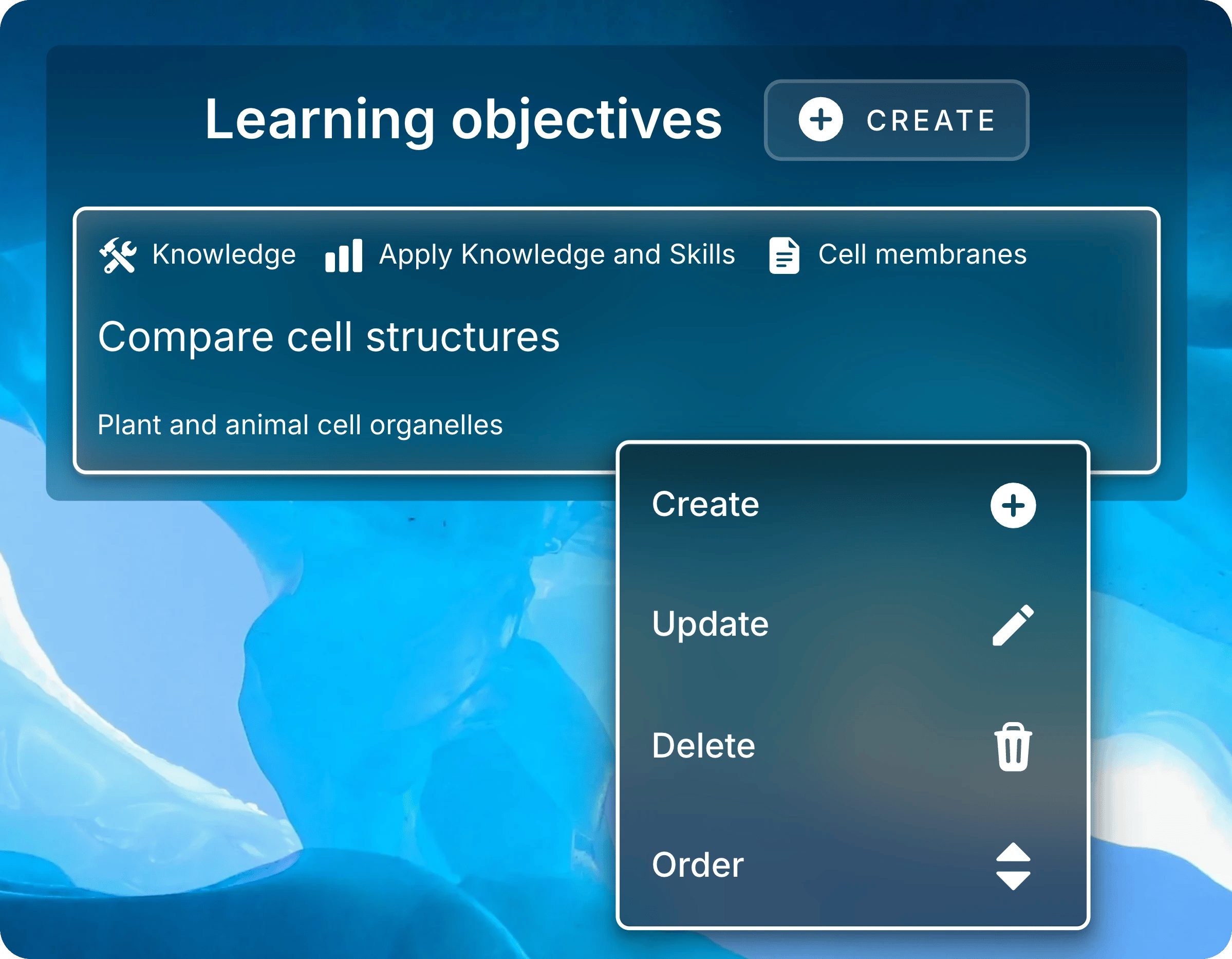
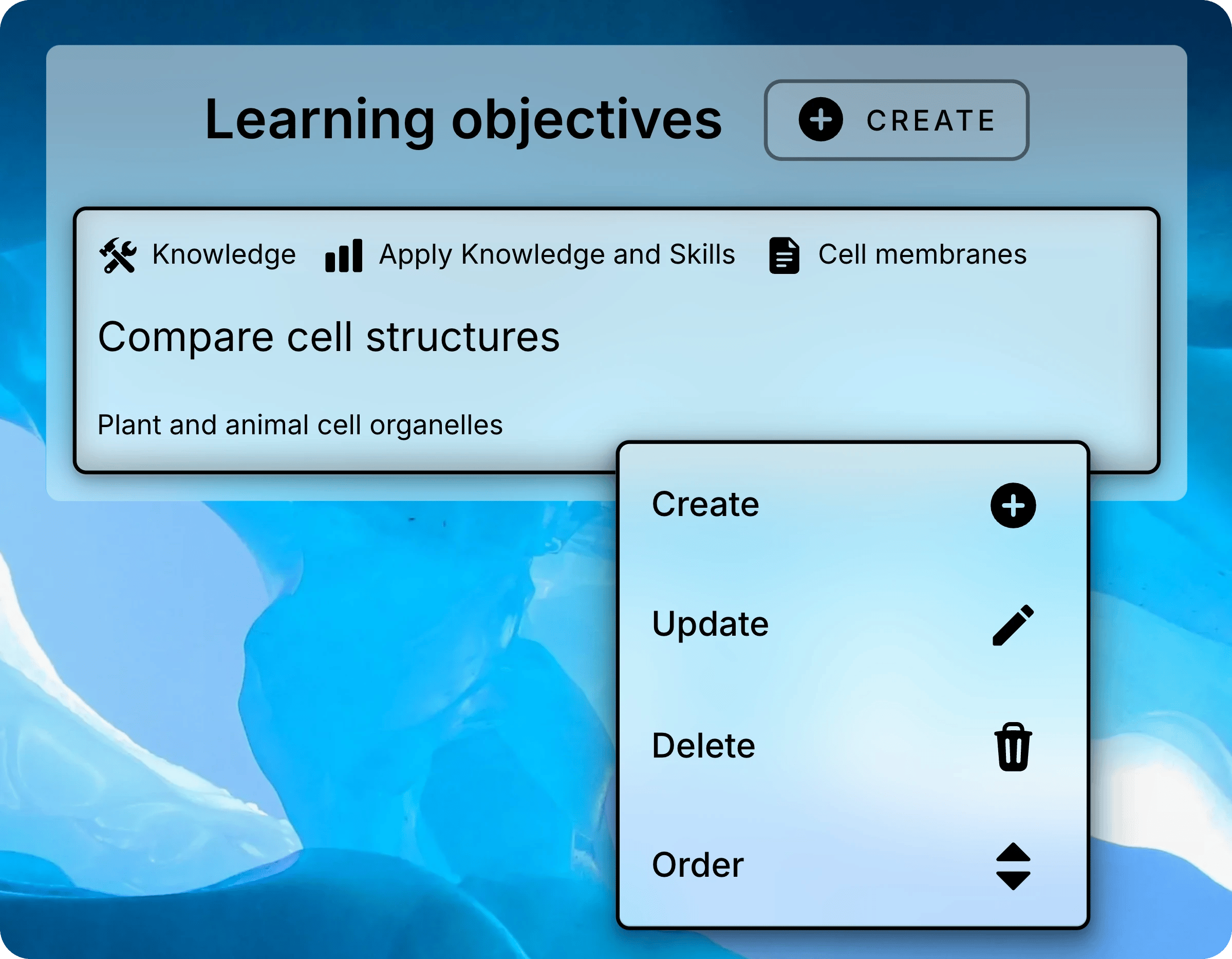
Right-click an objective to open its menu, or press and hold it on a touch screen.
<img className="block dark:hidden mx-auto" style={{ maxWidth: "520px" }} src="https://mintcdn.com/uflo/mc8jedJa_T3_qK9F/images/illustrations/screenshot/objectives-menu/light.webp?fit=max&auto=format&n=mc8jedJa_T3_qK9F&q=85&s=28b813e5ec53548b703c09dd27e14db1" alt="Menu open on the Compare cell structures objective, listing Create, Update, Delete, and Order." width="2398" height="1866" data-path="images/illustrations/screenshot/objectives-menu/light.webp" />

<img className="hidden dark:block mx-auto" style={{ maxWidth: "520px" }} src="https://mintcdn.com/uflo/mc8jedJa_T3_qK9F/images/illustrations/screenshot/objectives-menu/dark.webp?fit=max&auto=format&n=mc8jedJa_T3_qK9F&q=85&s=27e20d6f9052a9bcd8c09eedb12bab3d" alt="Menu open on the Compare cell structures objective, listing Create, Update, Delete, and Order." width="2398" height="1866" data-path="images/illustrations/screenshot/objectives-menu/dark.webp" />

<p className="text-center text-sm text-gray-600 dark:text-gray-400">Right-click an objective to open its menu.</p>

<Tabs>
  <Tab title="Update" icon="pen">
    Select **Update**, change the [fields](#add-an-objective), then select **Submit**.
  </Tab>

  <Tab title="Order" icon="sort">
    Select **Order**, drag objectives into place, then select **Confirm Order**.
  </Tab>

  <Tab title="Delete" icon="trash">
    <Danger>
      Deleting an objective can't be undone.
    </Danger>

    Select **Delete**, then **Submit** to confirm.
  </Tab>
</Tabs>

<Card title="Next: Enroll Students" icon="user-plus" href="/instructors/courses/enroll-students">
  Invite students with a link, QR code, or course code.
</Card>